We know your day. Let’s make it easier.
Missed deadlines, stock discrepancies and scattered patient histories. Find a concrete Vetonom solution for each familiar problem.
Request a demo ↗Paper and disconnected software
With Vetonom
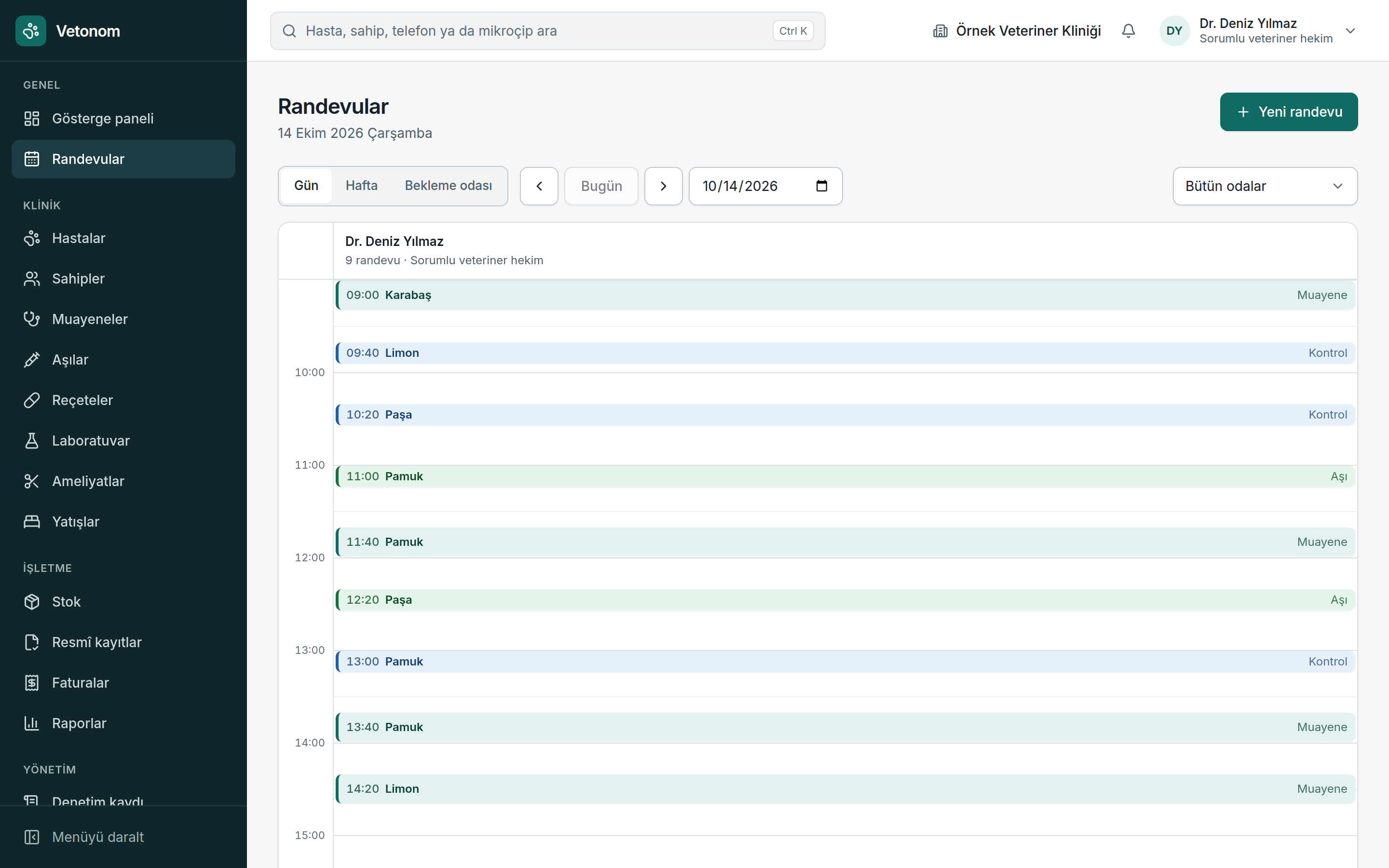
The phone keeps ringing and the waiting room fills up. A double booking only becomes obvious when both patients arrive.
See the day in one calendar. Plan appointments with both clinician and room availability in view.
- Use day and week views to see busy periods and available slots; update the schedule with drag and drop.
- Clinician and room conflict checks prevent the same resource being booked twice at the same time.
- Set working hours around your clinic’s routine so the team plans within a shared schedule.
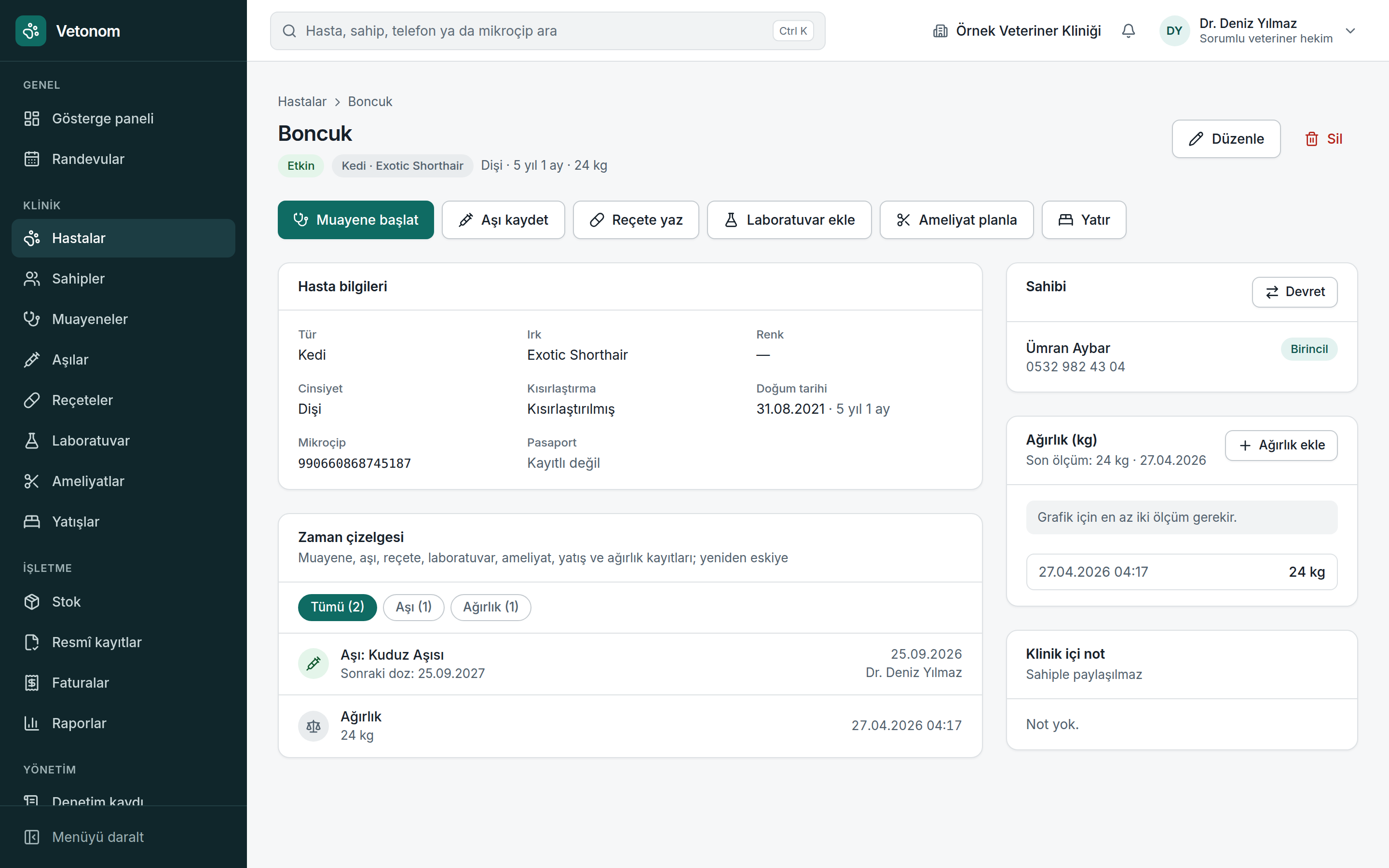
The vaccination card is in a drawer and consultation notes are in another file. Reconstructing the patient’s history takes time.
Bring the patient’s clinical history and owner details together in one connected workspace.
- Review consultations, vaccinations, prescriptions, laboratory results, surgery, hospitalisation and weight records in one timeline.
- Keep patients linked to their owners and find records by name, phone number or microchip.
- Keep allergy information visible and work from the patient file instead of searching for past records during a consultation.
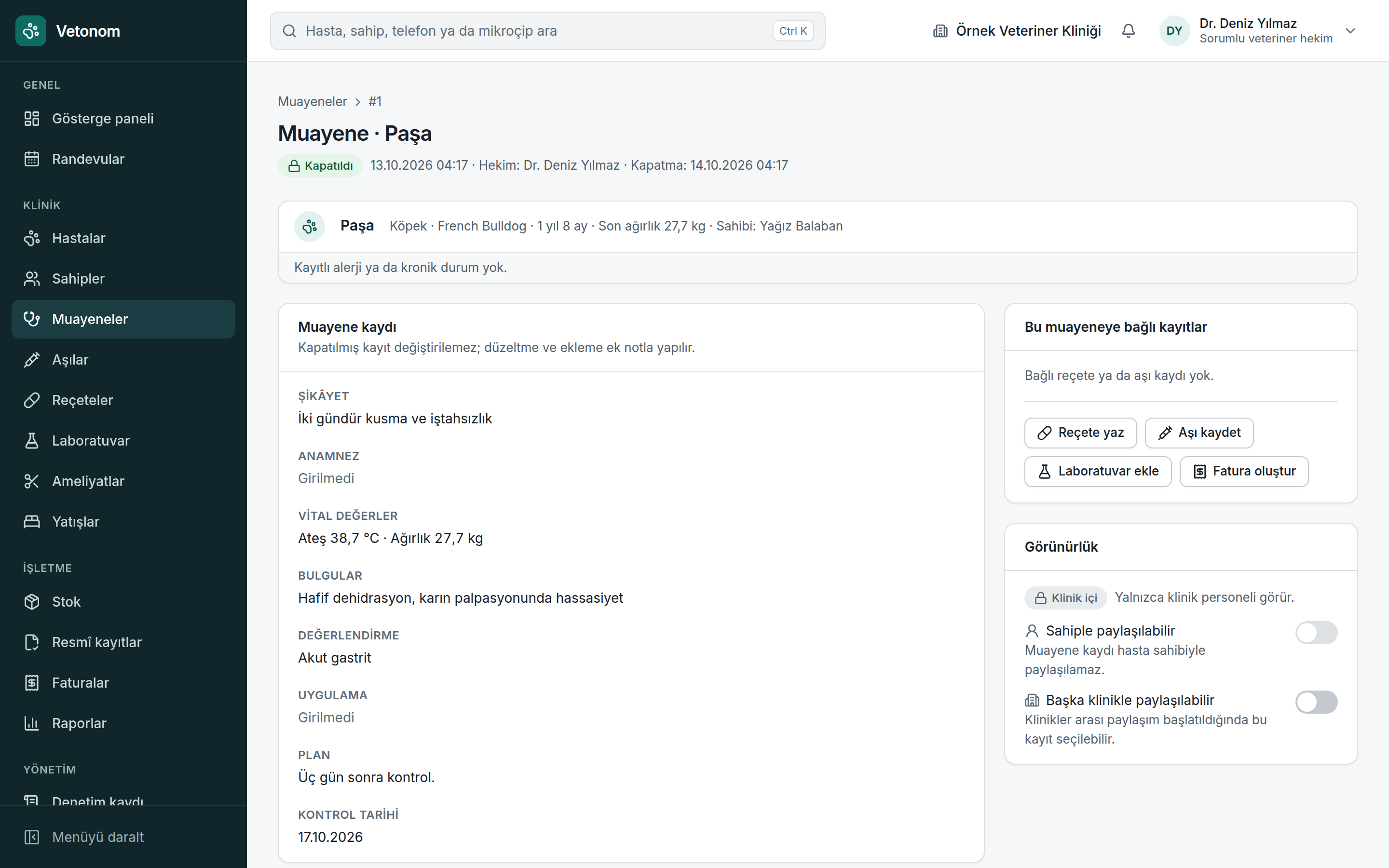
The consultation is complete, but used medicines remain in stock and procedures still need to be added to the bill.
Connect clinical notes, medicine use and billing in a continuous workflow.
- Use consultation templates to organise history, findings and treatment notes, with the patient’s past records close at hand.
- Allergy and species suitability warnings support clinical assessment. Treatment decisions and responsibility remain with the veterinarian.
- When the veterinarian closes the consultation, used medicines are deducted from stock automatically without a second manual entry.
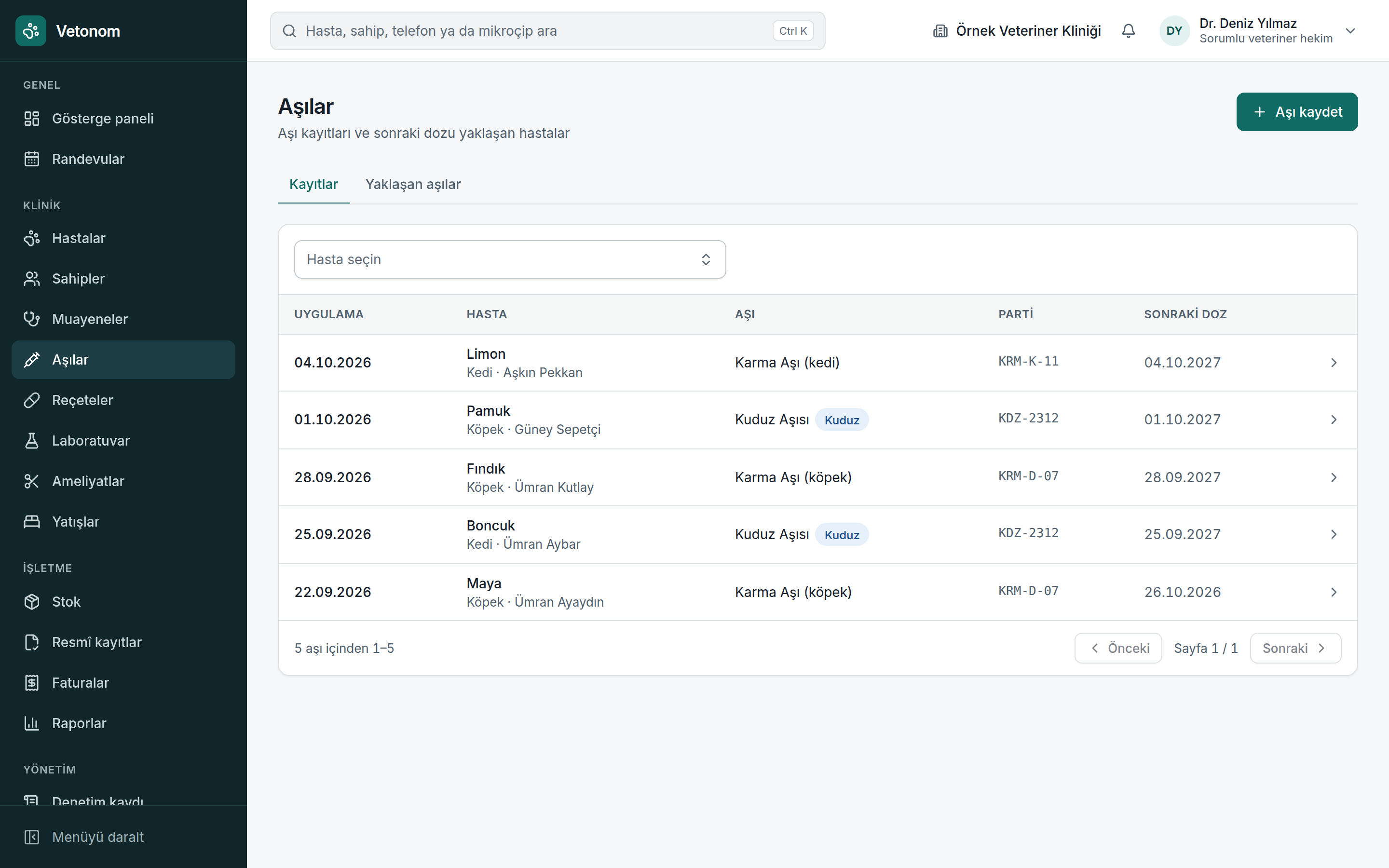
The next dose date gets lost in notes. Prescriptions and official record preparation are tracked separately.
Track administered vaccines, next doses and prescriptions as part of the patient’s history.
- Record vaccinations in the patient file and track next dose dates and upcoming vaccinations.
- Link prescription records to the patient and review them alongside consultation history.
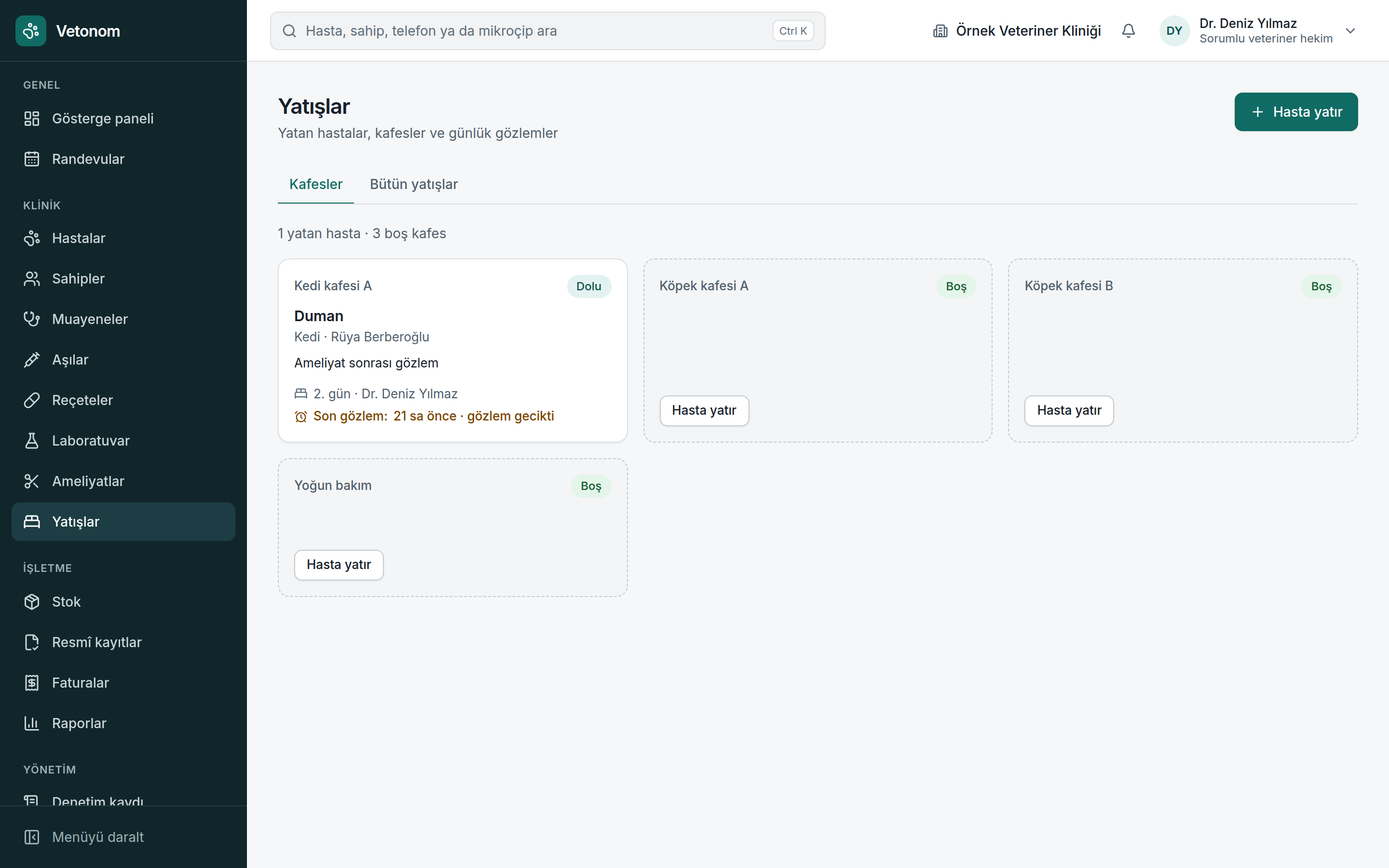
- Official record preparation highlights missing fields and deadlines. No data is sent to VETBİS, HBS or the Ministry’s e-prescription system in Türkiye.
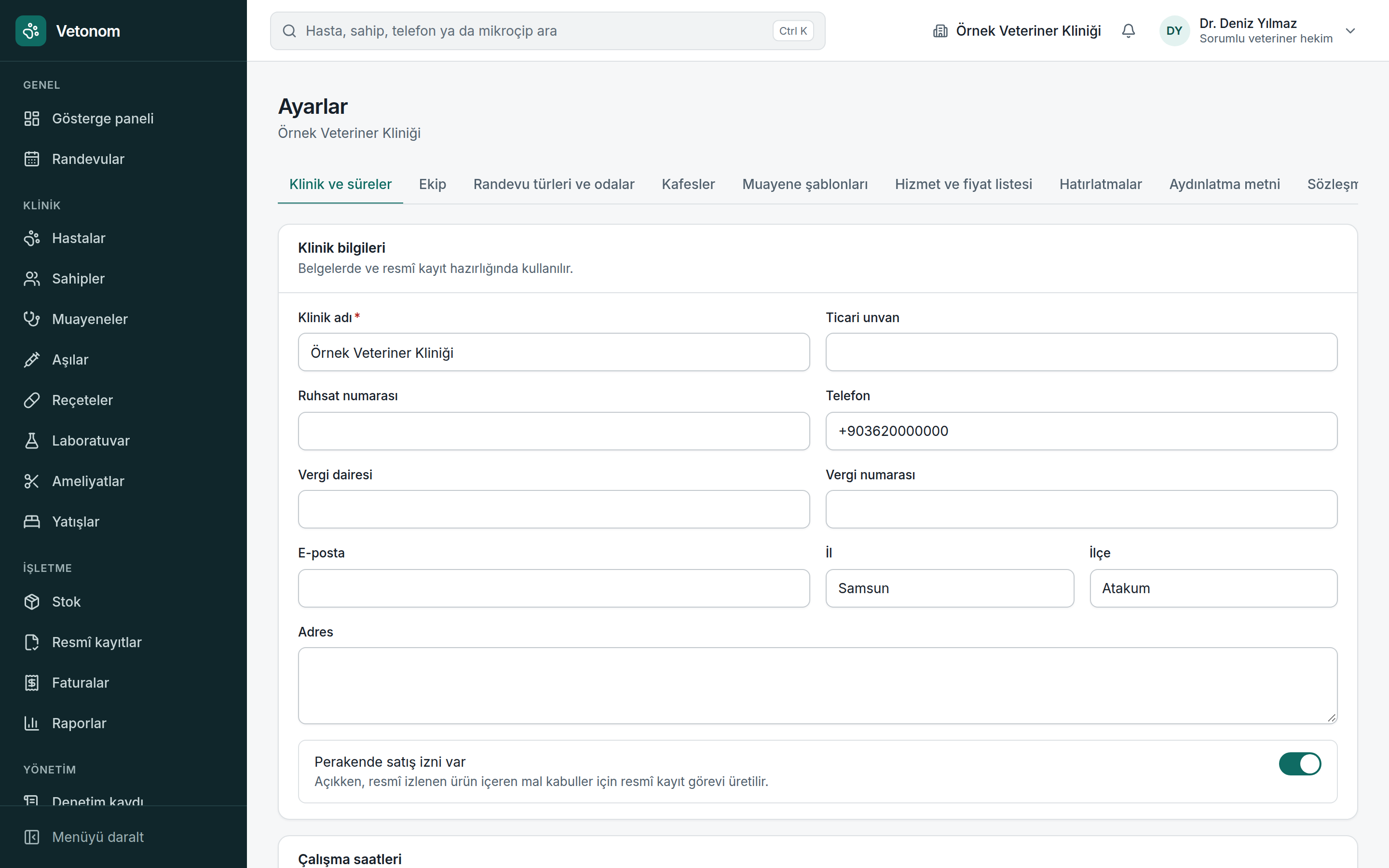
At the end of a busy day, checking every record deadline and missing detail is difficult.
Let Vetonom track preparation. Submission in the official system stays in the veterinarian’s own session and under their control.
- A task list prepared each night brings together patient registration, vaccination, prescription closure and goods receipt work.
- It flags fields such as a microchip that is not 15 digits long or a missing veterinarian diploma number, making the source of the issue visible.
- Upcoming and overdue tasks are distinguished so your clinic can set priorities.
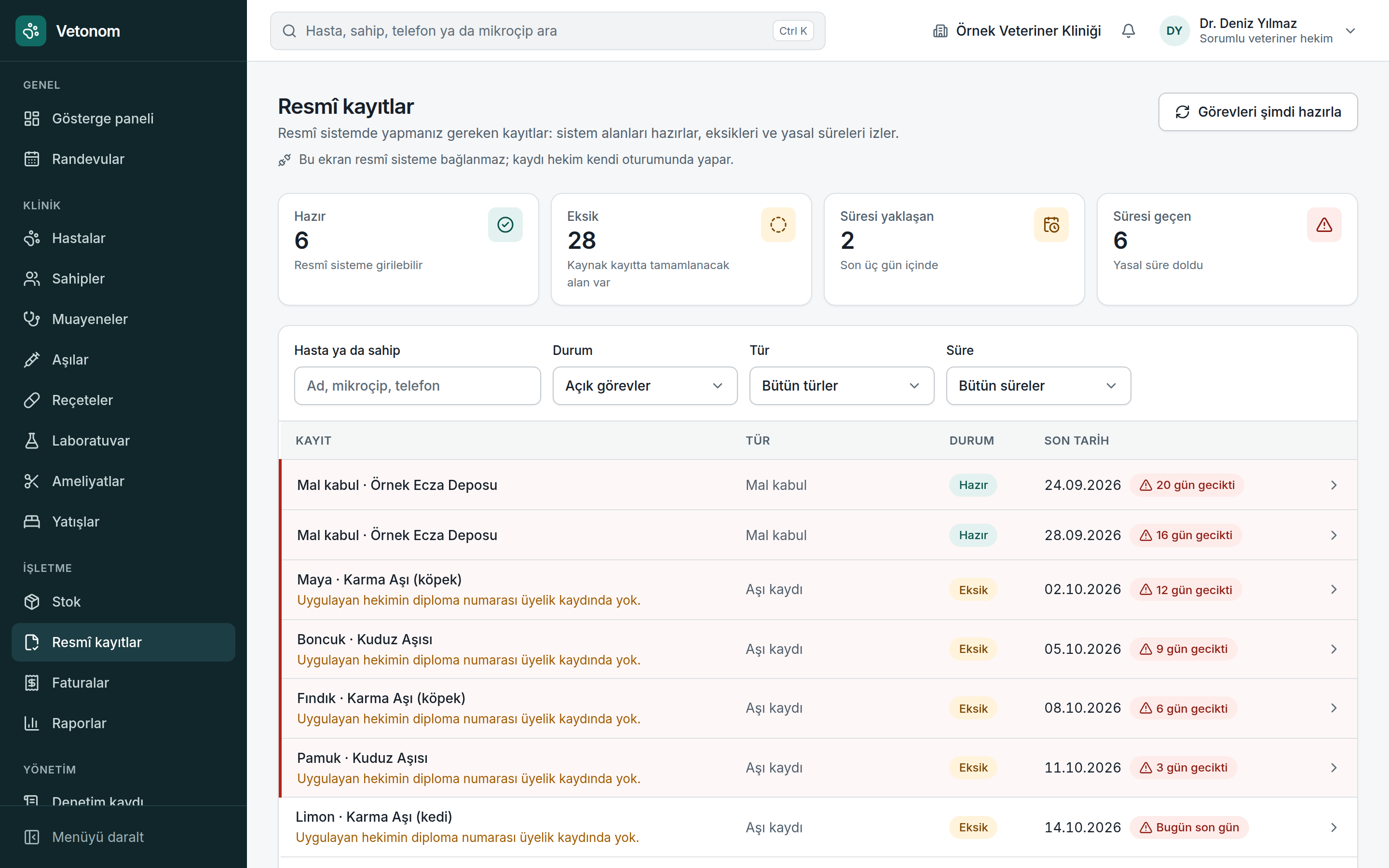
The shelf count does not match the software. An expired batch is only noticed when someone reaches for it.
Manage stock by batch, expiry date and movement history, not just product quantity.
- Track batches and expiry dates; the batch closest to expiry is deducted first.
- Review expiry and minimum stock warnings together and use order suggestions to assess replenishment.
- The movement ledger cannot be deleted. Incorrect movements are handled through reasoned corrections, preserving the history.
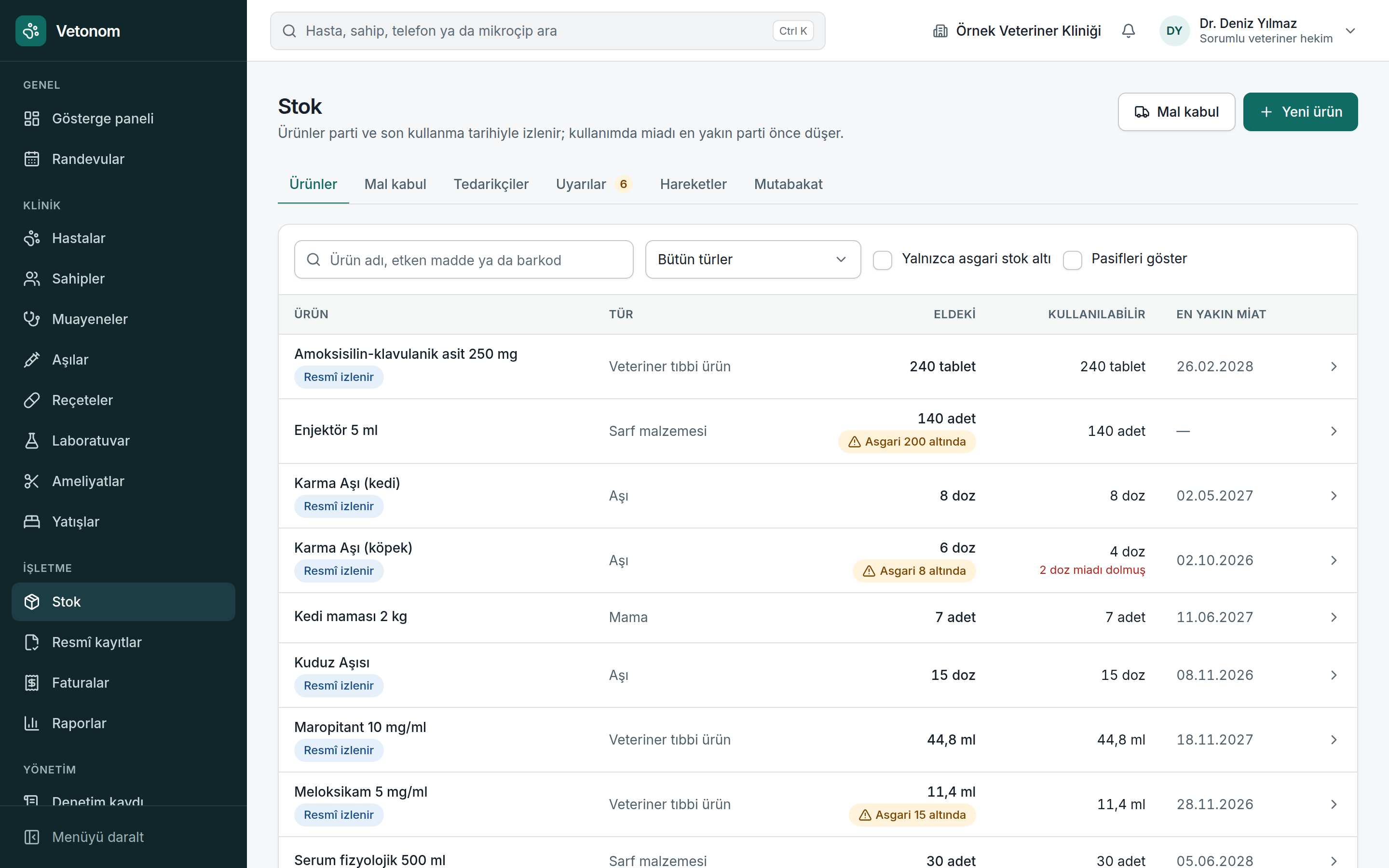
Results sit on paper or in separate files. Comparing today’s values with earlier results becomes difficult.
Keep results in the patient’s file and assess changes over time in one place.
- Enter laboratory results and attach files to the relevant patient record.
- Review trends in tracked values with charts showing changes over time.
- Unit difference flags help you notice results entered in different units.
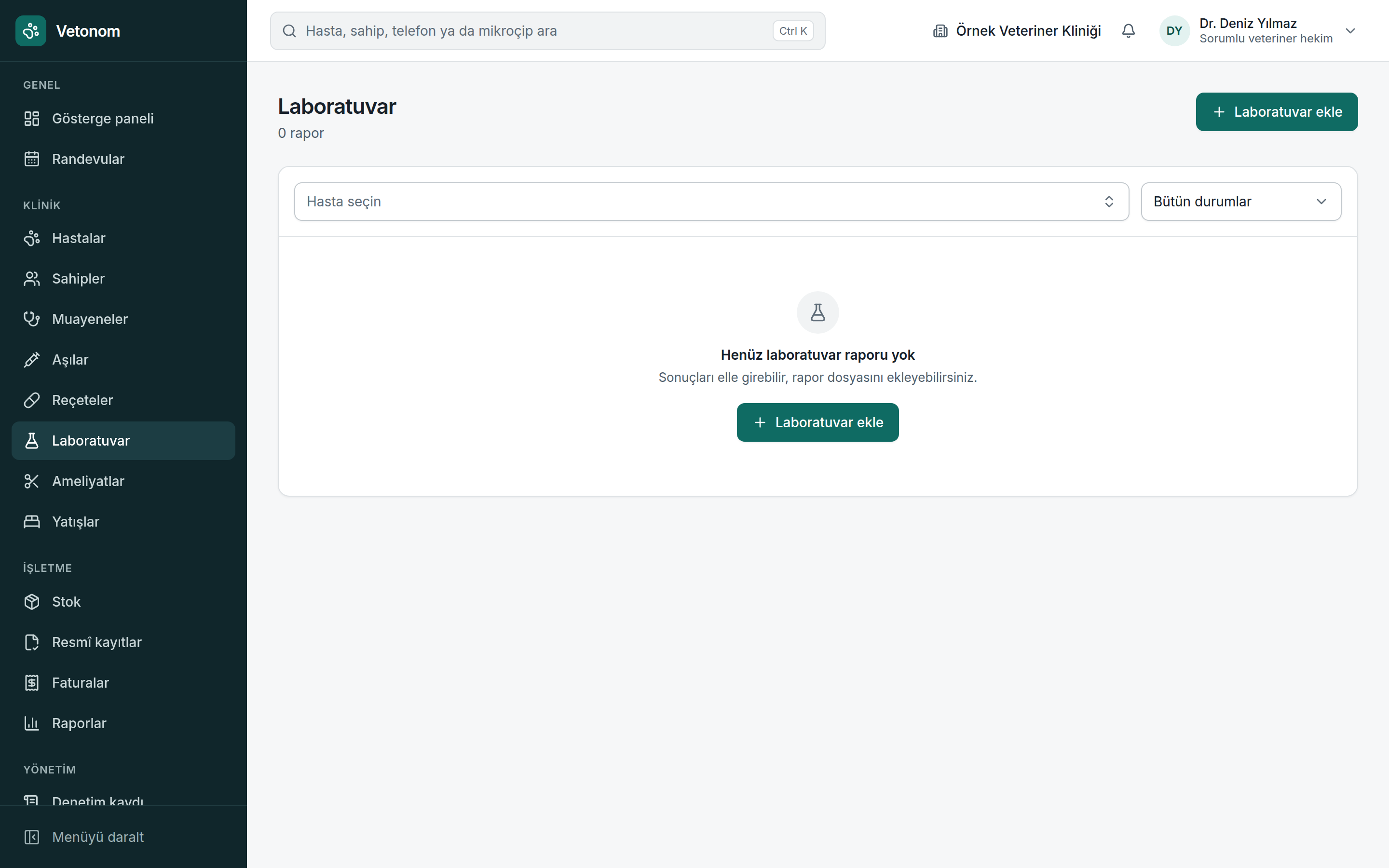
Consent paperwork can be missed, while observations for hospitalised patients are left on a whiteboard between shifts.
Bring surgical preparation and inpatient care into a recorded process, giving each shift the same patient information.
- Surgery cannot start without a consent record. If an emergency exception is used, that decision is recorded.
- Use the cage board to see inpatients and occupancy, linking care to the patient record.
- Observation records cannot be changed, preserving a reliable history for shift handovers.
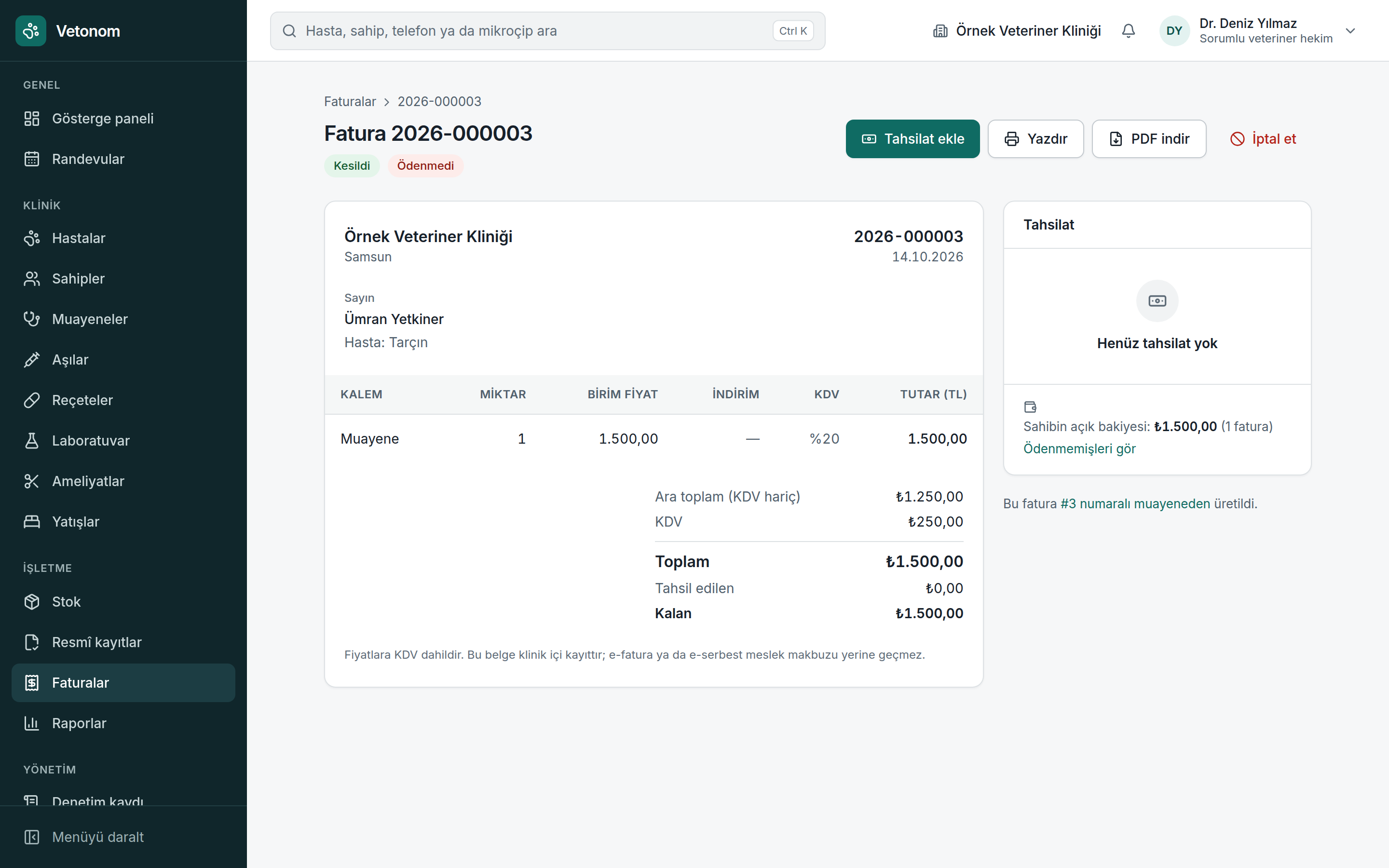
A procedure never reaches the invoice and a partial payment stays in a note. At closing time, you are still searching for outstanding balances.
Track the record chain from consultation to invoice to payment in one place.
- Create an invoice from a closed consultation in one click and check missing prices with zero-price line warnings.
- Record partial payments as cash, card or bank transfer and track paid and outstanding amounts.
- See owner balances and assess outstanding amounts alongside recorded payments instead of separate notes.
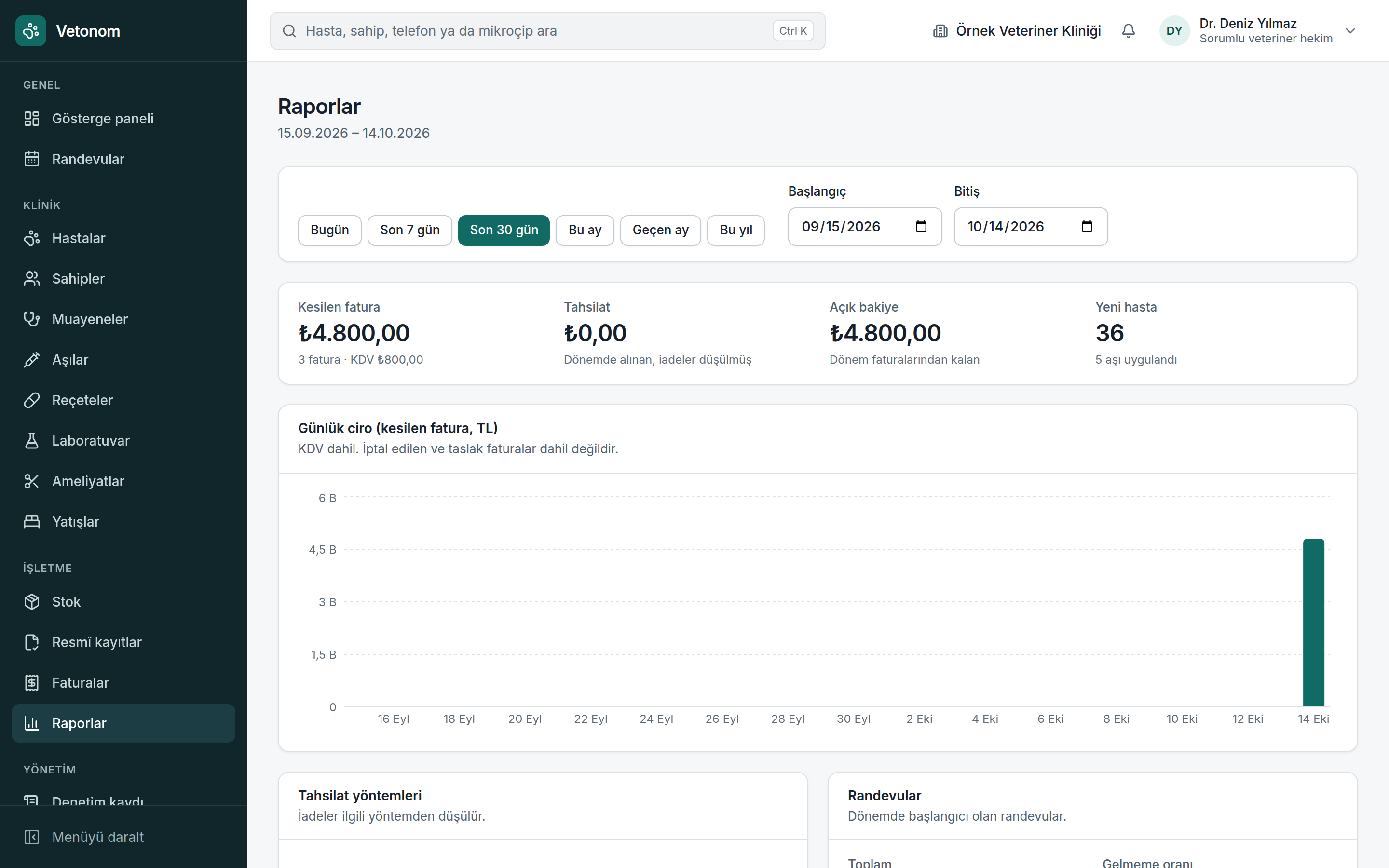
The clinic is busy, but the overall picture is unclear. You gather data from several screens before making decisions.
Bring daily priorities into the dashboard and period performance into reports.
- See today’s appointments, pending official record tasks and stock warnings on the dashboard.
- Use period reports to review invoices and payment activity for a selected date range.
- Export CSV files to use data in your own review process.
Not everyone needs access to every detail. When changes cannot be traced, responsibility becomes unclear.
Let each team member work within their role, with critical actions reserved for authorised people and changes kept on record.
- Five roles: administrator, veterinarian, technician, reception and accounting. Align access with responsibilities.
- Only veterinarians can close consultations and confirm official record tasks.
- An immutable, chained audit log helps trace who performed each action.
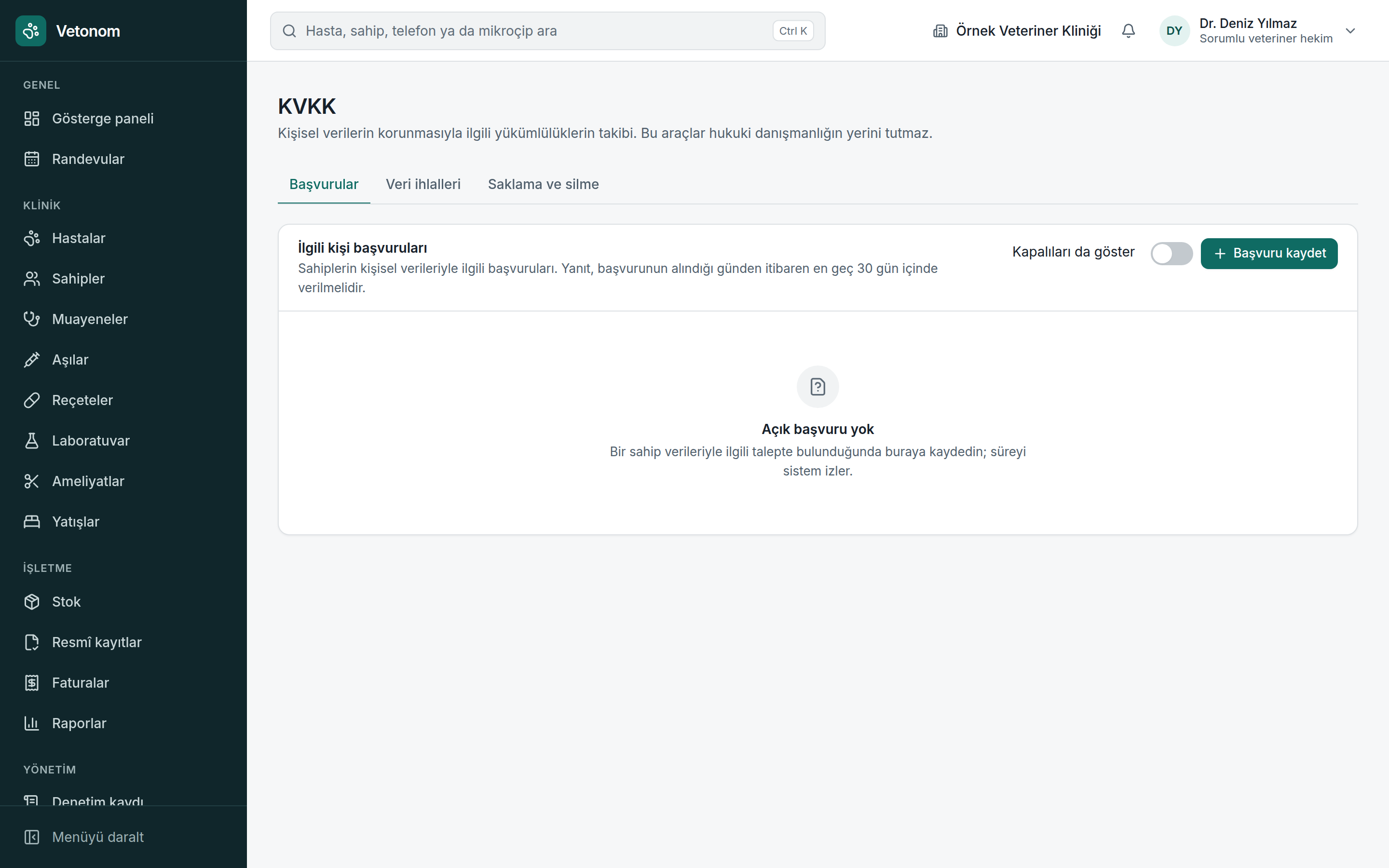
Personal data requests, access controls and privacy notices can slip out of view during daily work.
Build tools supporting Türkiye’s Personal Data Protection Law (KVKK) into daily work, keeping responsibilities visible and trackable.
- Turkish national ID numbers are stored encrypted and displayed masked; viewing them is logged.
- Track personal data requests with a 30-day counter and use 72-hour tracking in breach records.
- Use personal data export and anonymisation tools to handle requests within a recorded process.
The first dose is done. The next one slips your mind.
Next dose dates and the upcoming vaccination list make follow-up visible. Reminder delivery will become available after a provider is connected.
What happens to the data in your old system?
Move owner and patient records with CSV. Find issues in a dry-run report first. Re-uploading the same file does not create duplicates.
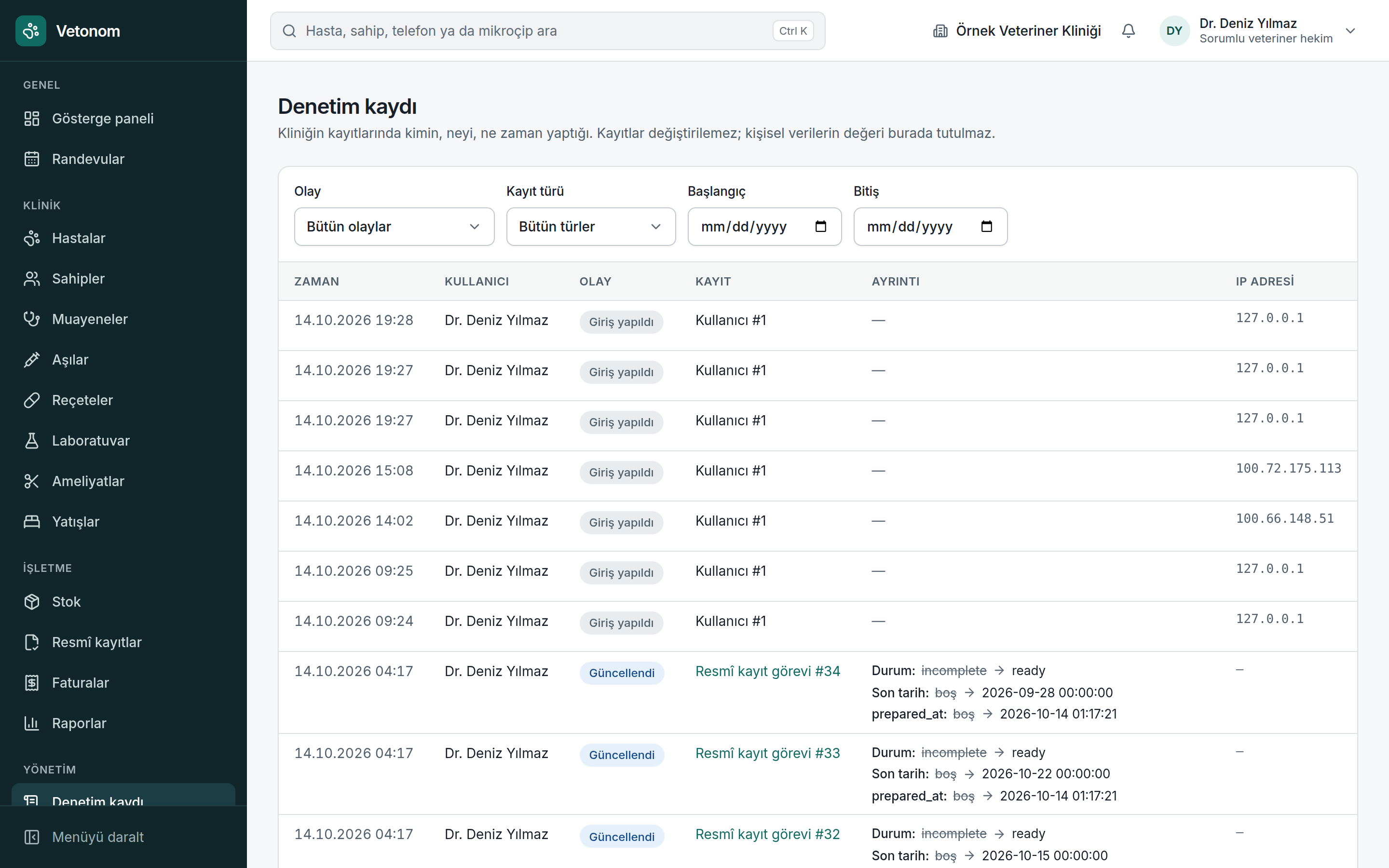
Who changed this record?
An immutable, chained audit log preserves the trail of actions so you can review responsibilities within the team.
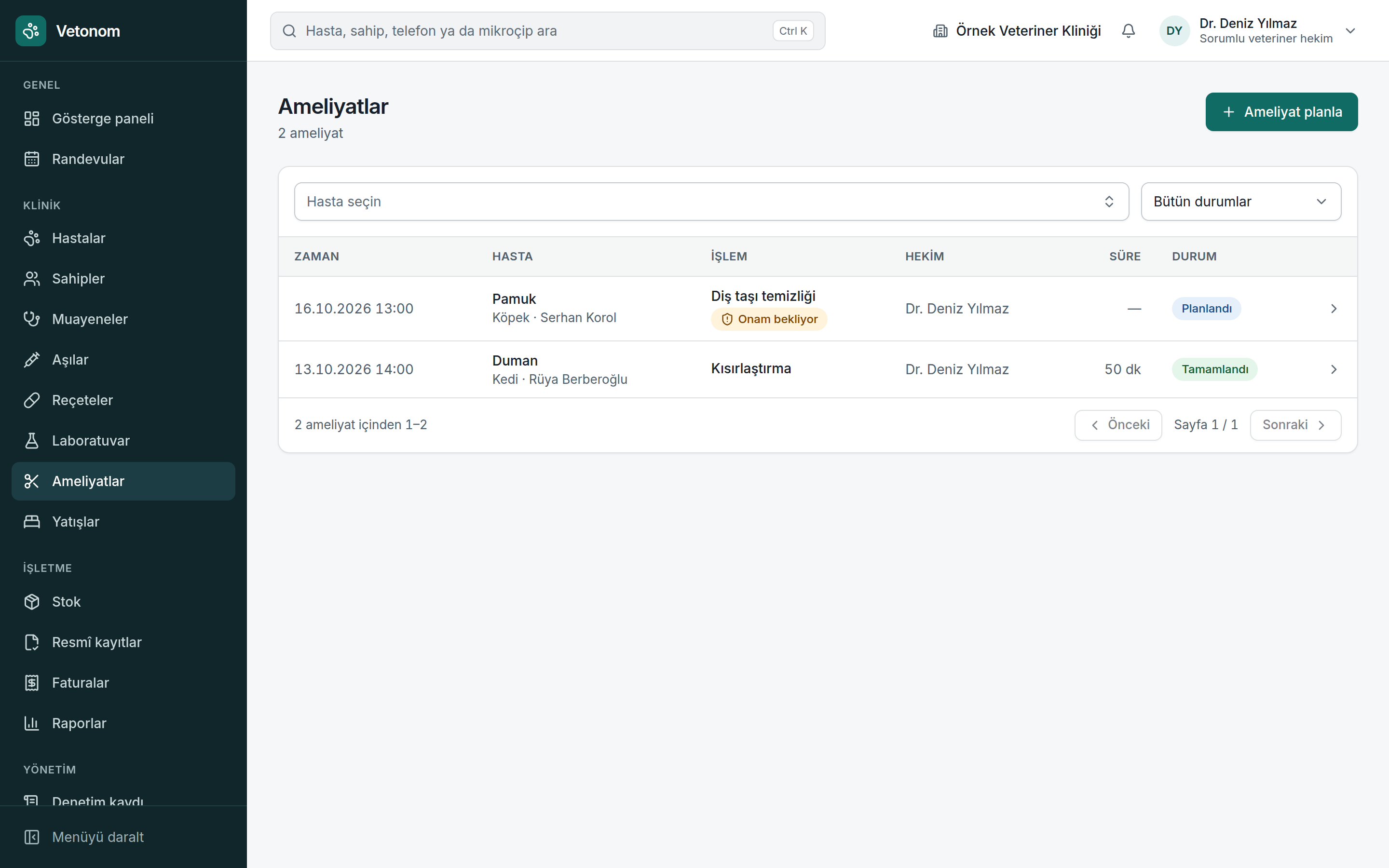
Keep consent part of surgical preparation.
Surgery cannot start without a consent record. An emergency exception is recorded, preserving the decision trail.
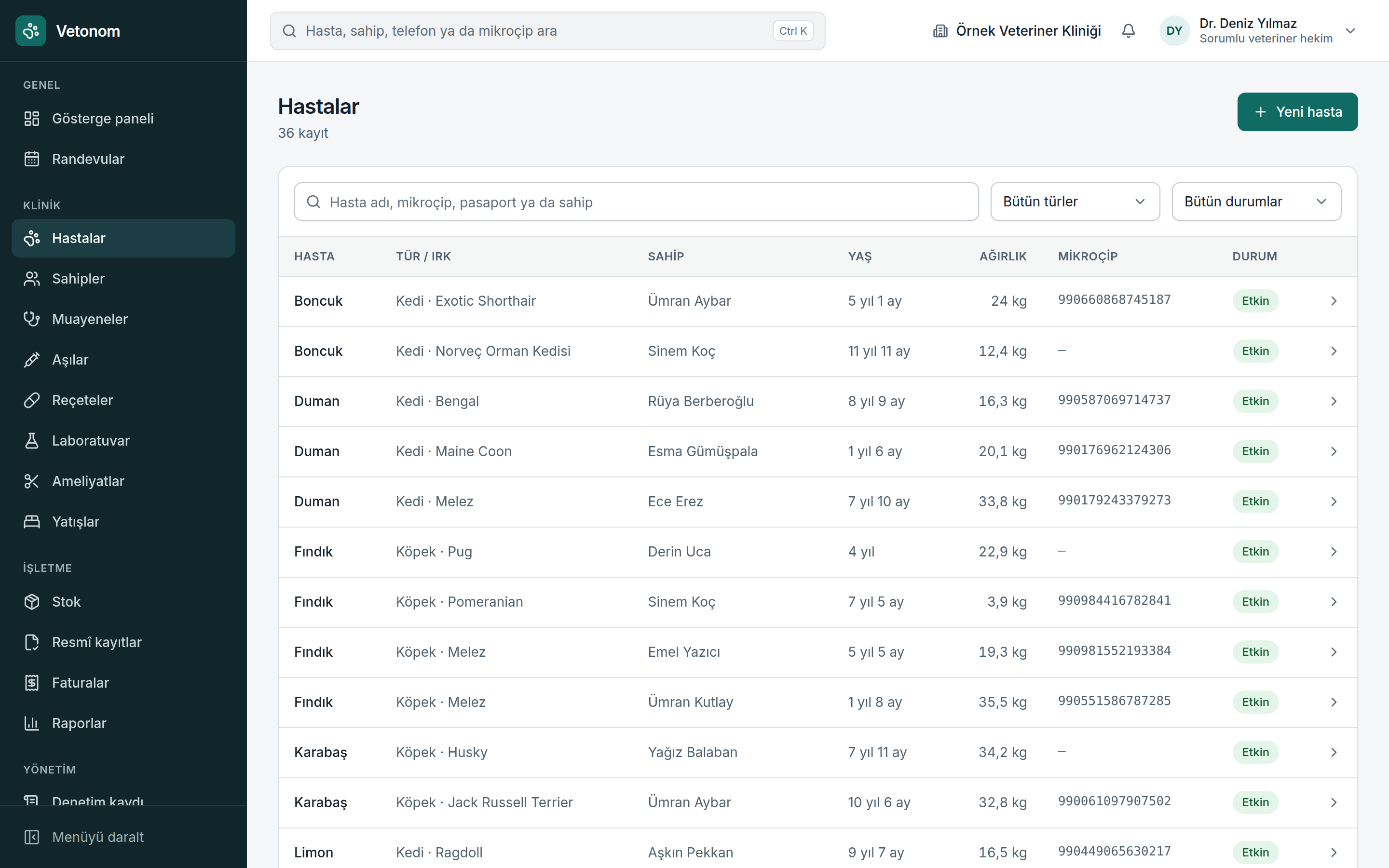
A more organised clinic day is possible.
Evaluate Vetonom against your own workflow. Let’s meet and discuss a pilot for your clinic.