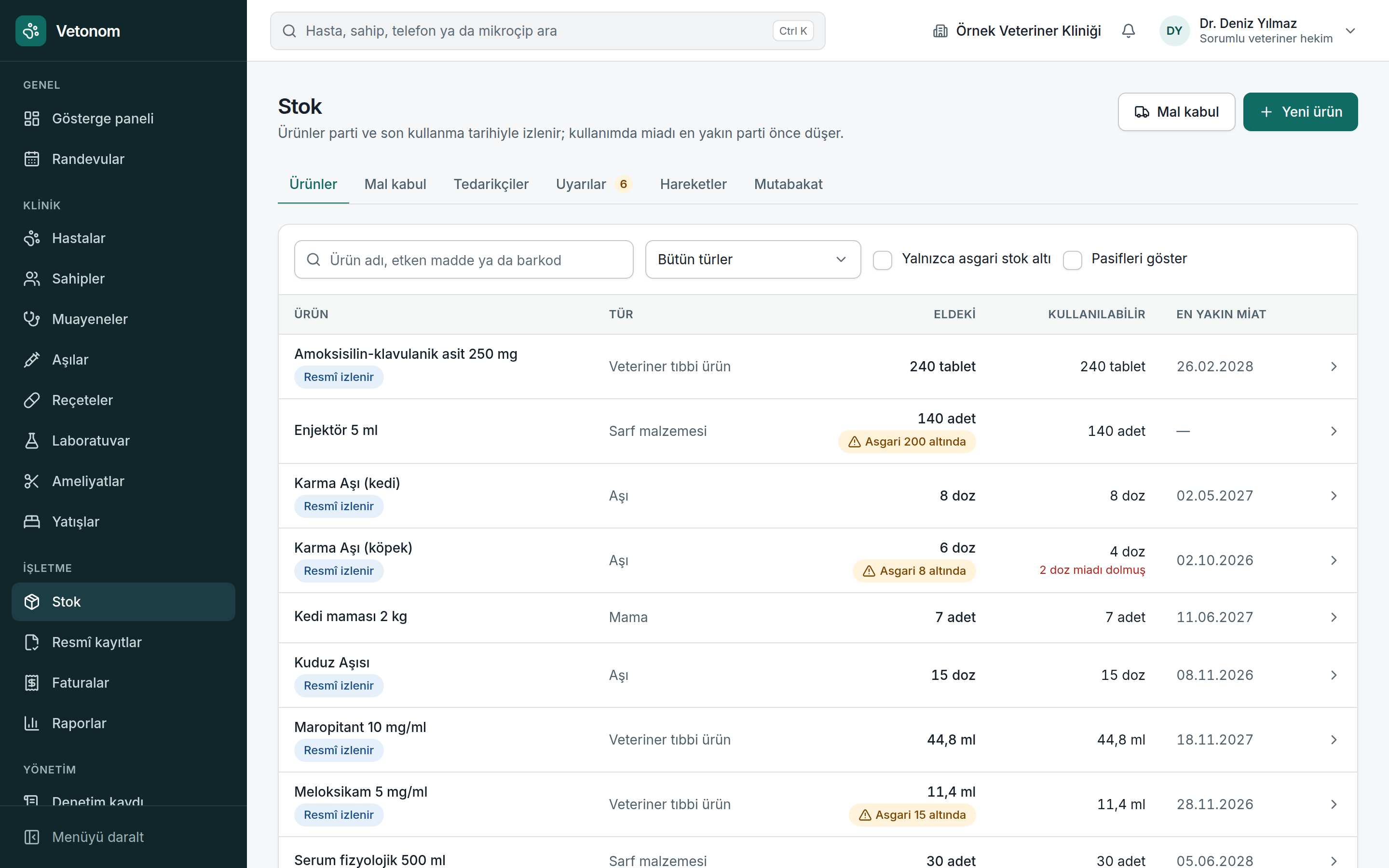
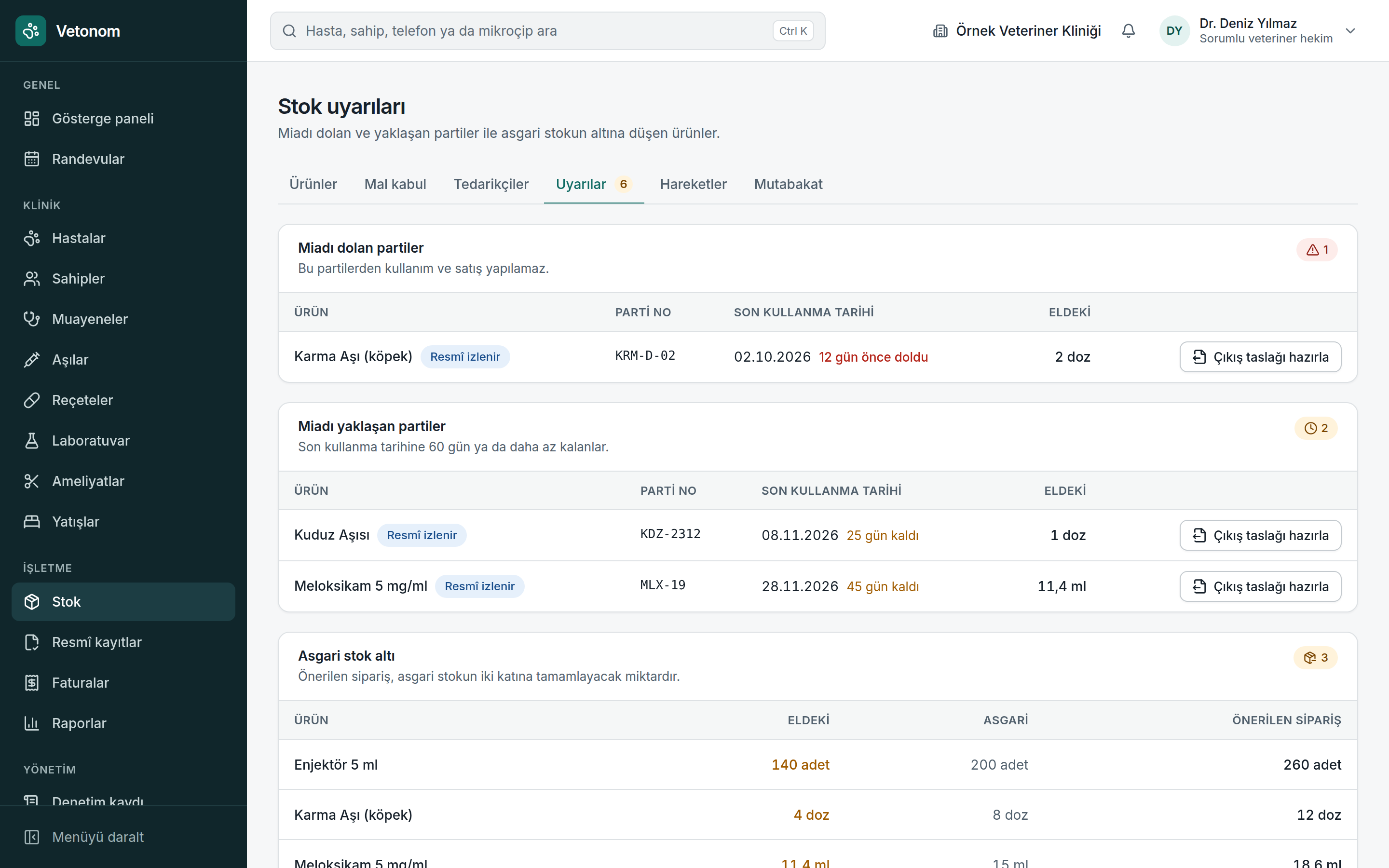
Track batches and expiry dates; the batch closest to expiry is deducted first.
Features
Inventory and expiry
Manage stock by batch, expiry date and movement history, not just product quantity.
Request a demo ↗Sound familiar?
The shelf count does not match the software. An expired batch is only noticed when someone reaches for it.
With Vetonom
Manage stock by batch, expiry date and movement history, not just product quantity.
ORGANISATION IN THE DETAILS
What changes in your day?
Review expiry and minimum stock warnings together and use order suggestions to assess replenishment.
The movement ledger cannot be deleted. Incorrect movements are handled through reasoned corrections, preserving the history.
Reconcile physical counts with recorded stock and handle differences in a traceable way.
Used medicines are deducted when a consultation is closed. Invoice cancellation includes an option to return items to stock.
Other modules that work together
Explore the tools that complete your workflow, from patient information to daily planning.
Appointment management
See the day in one calendar. Plan appointments with both clinician and room availability in view.
Explore the detailsPatients and owners
Bring the patient’s clinical history and owner details together in one connected workspace.
Explore the detailsConsultations and treatment
Connect clinical notes, medicine use and billing in a continuous workflow.
Explore the detailsEarly access is open
Request a demo A more organised clinic day is possible.
Evaluate Vetonom against your own workflow. Let’s meet and discuss a pilot for your clinic.