Your focus
is their
care.
Let Vetonom organise the rest.
Busy days. Connected responsibilities. Appointments, consultations, inventory and official record preparation in one flow. Keep your clinic organised while you care for your patient.
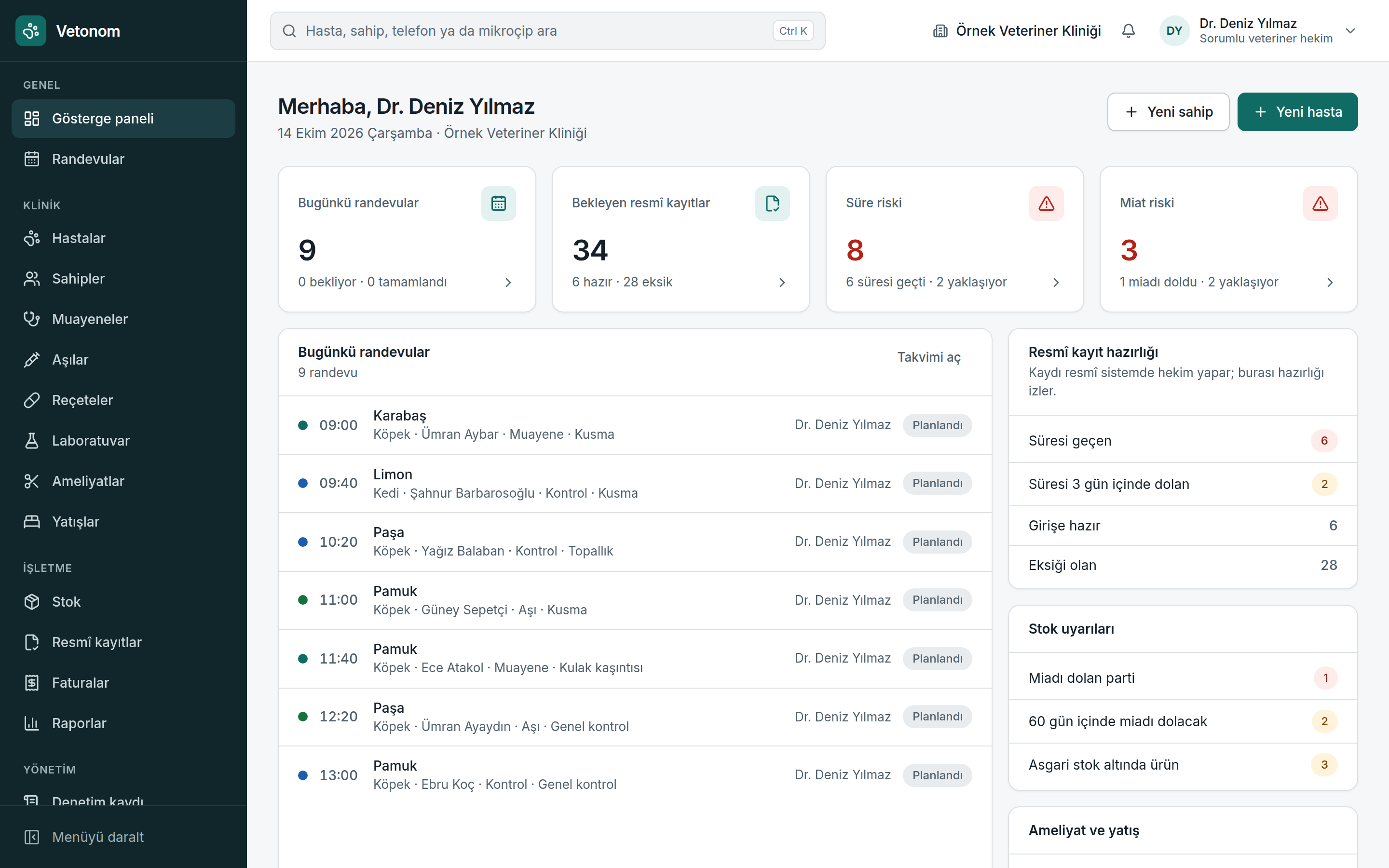
Connected work. A calmer day.
Start the day with a clearer view.
Who is waiting, which record is due and which product is nearing expiry? See your priorities at a glance without piecing together scattered notes.
Names and figures in screenshots are sample data, not customers or usage statistics.
Small tasks can take up most of a clinic’s day.
If these problems feel familiar, you’ll find their solutions in one place.
At the end of a busy day, checking every record deadline and missing detail is difficult.
Let Vetonom track preparation. Submission in the official system stays in the veterinarian’s own session and under their control.
The shelf count does not match the software. An expired batch is only noticed when someone reaches for it.
Manage stock by batch, expiry date and movement history, not just product quantity.
The consultation is complete, but used medicines remain in stock and procedures still need to be added to the bill.
Connect clinical notes, medicine use and billing in a continuous workflow.
Different responsibilities. One connected system.
Enter information once and work across connected modules, from appointments and patient history to consultations and payments.
Appointment management
See the day in one calendar. Plan appointments with both clinician and room availability in view.
Explore the detailsPatients and owners
Bring the patient’s clinical history and owner details together in one connected workspace.
Explore the detailsConsultations and treatment
Connect clinical notes, medicine use and billing in a continuous workflow.
Explore the detailsPrescriptions and vaccinations
Track administered vaccines, next doses and prescriptions as part of the patient’s history.
Explore the detailsOfficial record preparation
Let Vetonom track preparation. Submission in the official system stays in the veterinarian’s own session and under their control.
Explore the detailsInventory and expiry
Manage stock by batch, expiry date and movement history, not just product quantity.
Explore the detailsLaboratory
Keep results in the patient’s file and assess changes over time in one place.
Explore the detailsSurgery and hospitalisation
Bring surgical preparation and inpatient care into a recorded process, giving each shift the same patient information.
Explore the detailsBilling and payments
Track the record chain from consultation to invoice to payment in one place.
Explore the detailsDashboard and reports
Bring daily priorities into the dashboard and period performance into reports.
Explore the detailsTeam and permissions
Let each team member work within their role, with critical actions reserved for authorised people and changes kept on record.
Explore the detailsData protection tools
Build tools supporting Türkiye’s Personal Data Protection Law (KVKK) into daily work, keeping responsibilities visible and trackable.
Explore the detailsStop wondering which official records are still waiting.
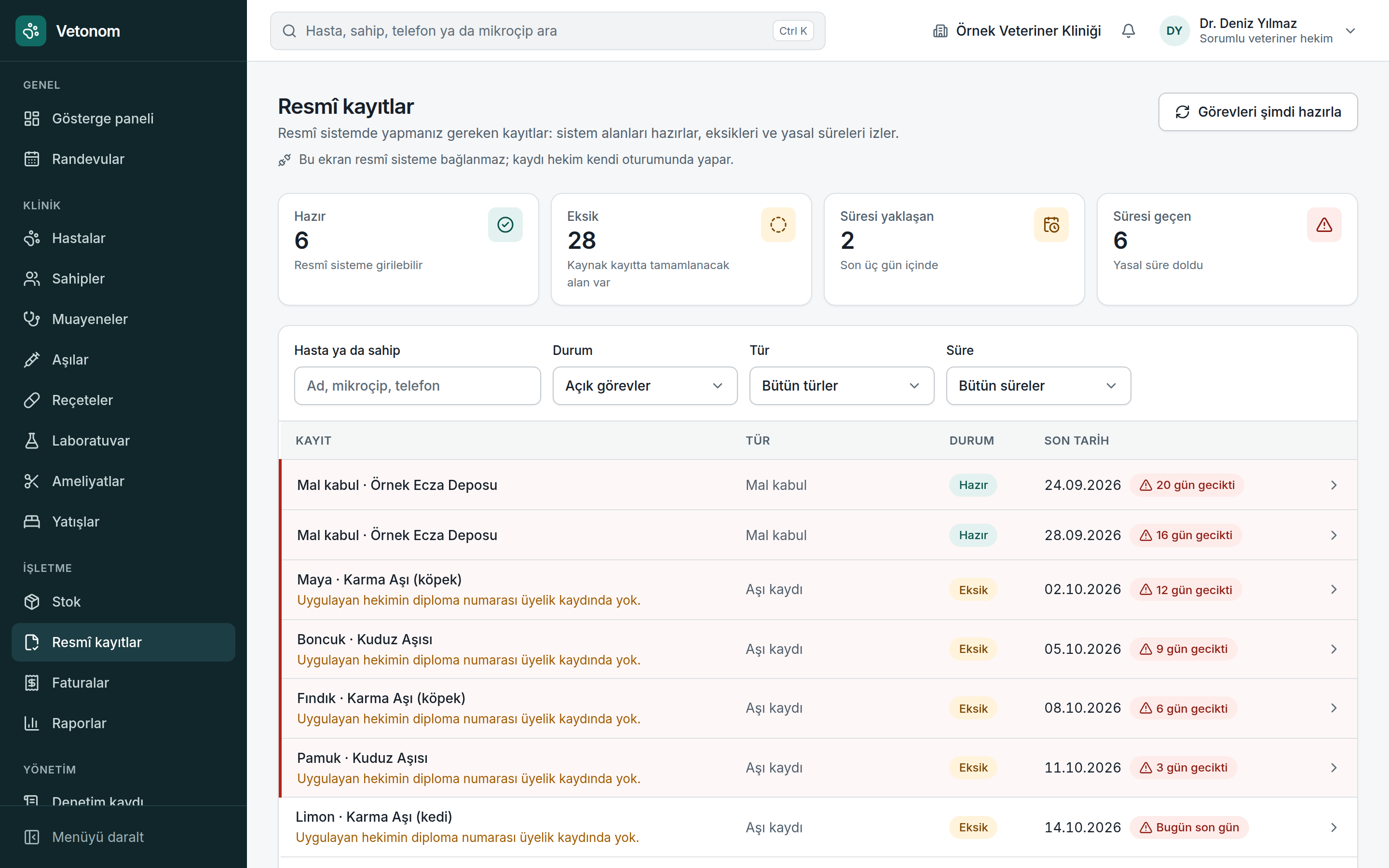
A missing microchip, an approaching deadline, a pending vaccination record. Vetonom prepares the task list and highlights gaps. The veterinarian completes each submission in their own session.
Vetonom does not connect to or send data to Ministry systems in Türkiye. The veterinarian submits official records in their own session.
Data protection, built into the workflow.
Five roles, encrypted personal data, an immutable audit log and tools supporting KVKK compliance. Everyone works with access appropriate to their responsibilities.
Our approach to security →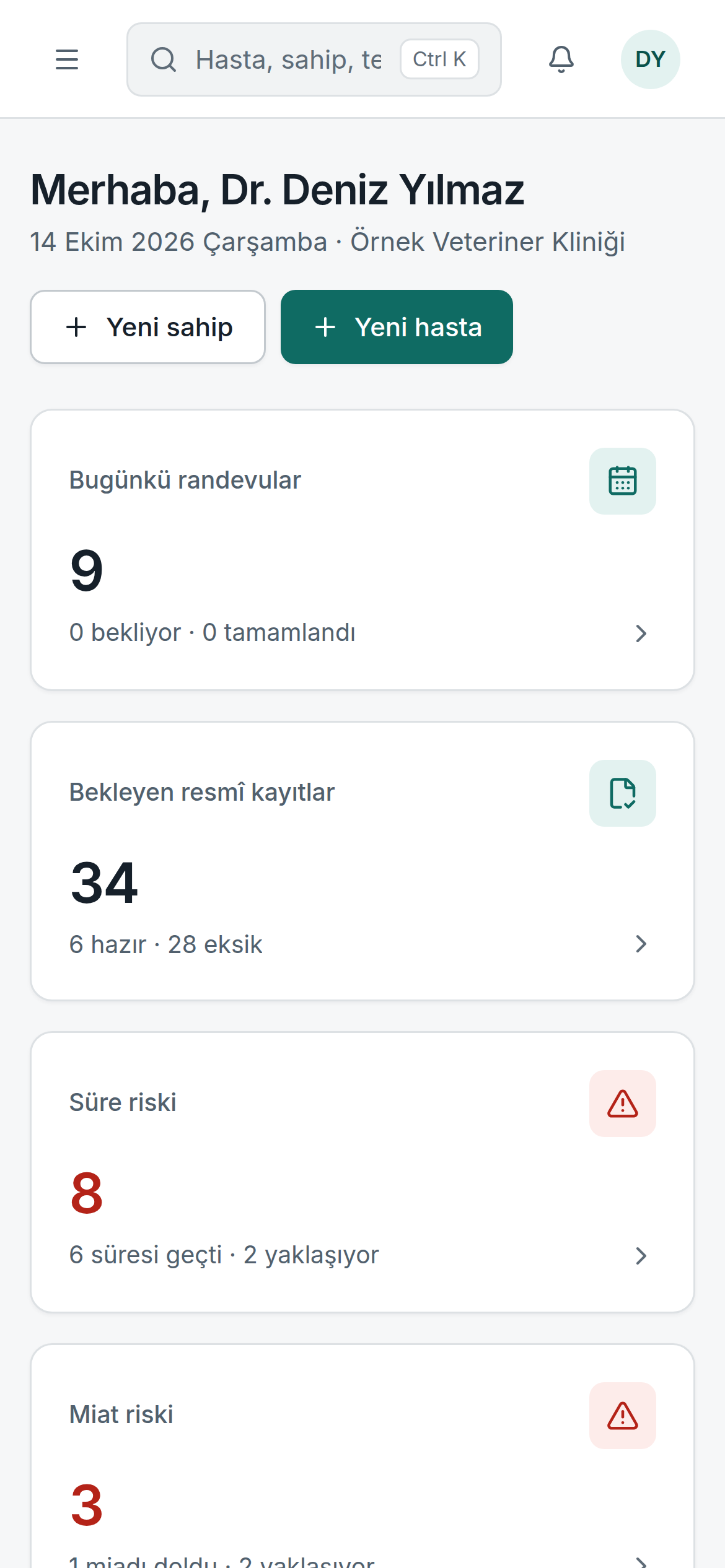
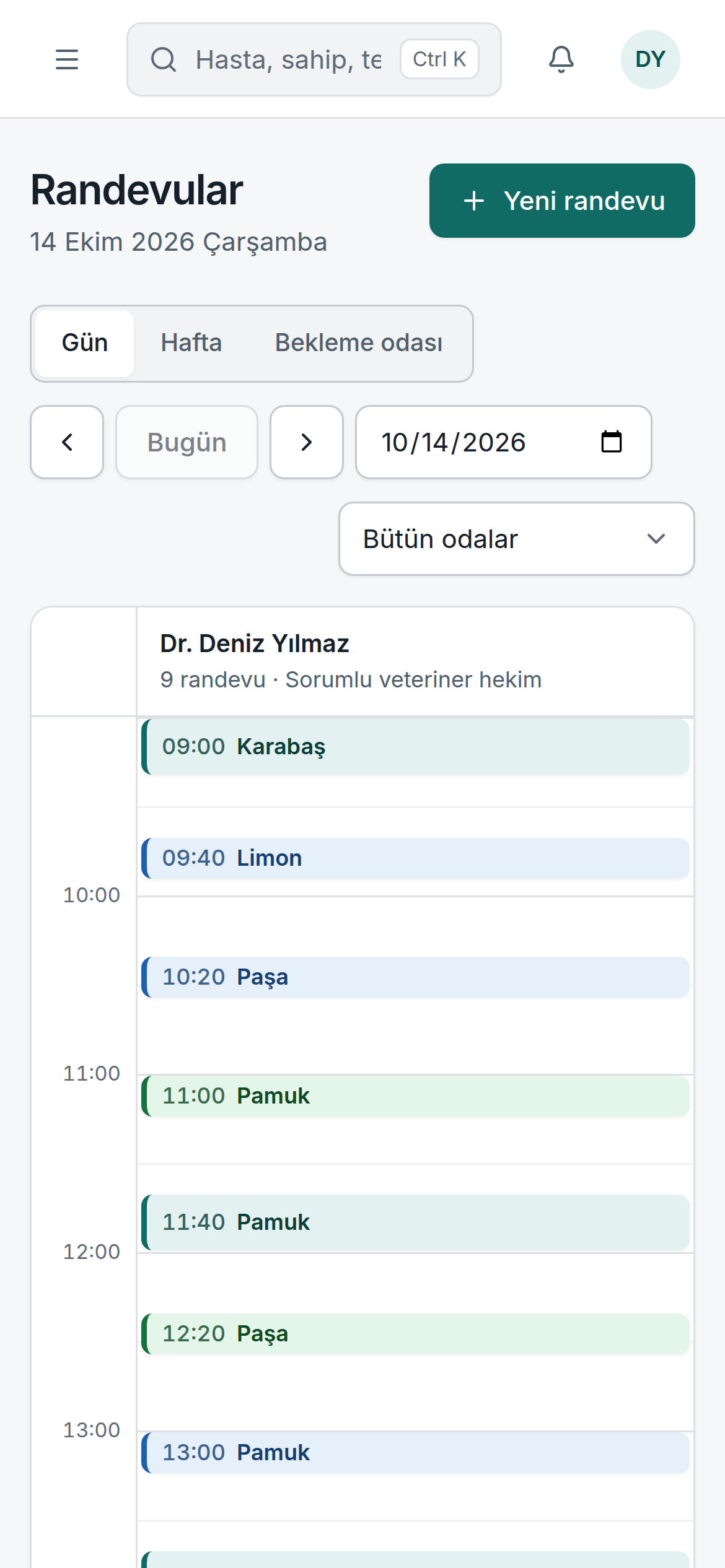
In the consultation room. In the corridor. At your fingertips.
Phone, tablet or desktop. Reach the same patient file and calendar through a web application that needs no installation. Work your way with a dark theme and accessible interface.
Explore the mobile experience →A more organised way to get started.
- 01
Tell us about your clinic
Tell us about team responsibilities, daily workflows and your existing records. Together, we can assess a pilot scope suited to your needs.
- 02
Prepare your workspace
Set up clinic details, working hours and team roles. Check owner and patient data with a CSV dry-run report before importing.
- 03
Get started with your team
Use training to walk through daily tasks, from appointments to closing consultations. Share your experience and feedback during the pilot.
Does Vetonom connect to Ministry systems?
No. It does not connect to or send data to the Turkish Ministry of Agriculture and Forestry’s VETBİS, HBS or e-prescription systems. It prepares required records, finds missing details and tracks deadlines. The veterinarian submits in their own official session and then closes the task.
Where will my data be hosted?
Hosting in Türkiye is planned. The provider, data processing terms and service scope will be clarified during the pilot; we do not guarantee a provider or location that has not yet been finalised.
Can I use it if the internet goes down?
Vetonom is a cloud-based web application and requires an internet connection. Offline working and later synchronisation are not offered. You can access saved records again when connectivity returns.
Can I import data from my previous system?
Owner and patient records can be imported by CSV. Review invalid or missing fields in the dry-run report first. Re-uploading the same file does not duplicate records. Other record types and file compatibility will be assessed in the pilot discussion.
How many users can I add?
The product supports five roles: administrator, veterinarian, technician, reception and accounting. User limits and package scope are being defined during the pilot; we do not promise unlimited users.
A more organised clinic day is possible.
Evaluate Vetonom against your own workflow. Let’s meet and discuss a pilot for your clinic.